
Quickwin Registration & Verification — Get Instant Access to Your Account
In order for you to be able to use all of the betting and gambling options, you are first required to complete the Quickwin sign up process. With it, you will be able to use bonuses, make deposits and withdrawals, participate in the VIP program and a lot more! The registration process can be done both on the website and in the mobile app, and doing so will not take more than a few minutes of your time.
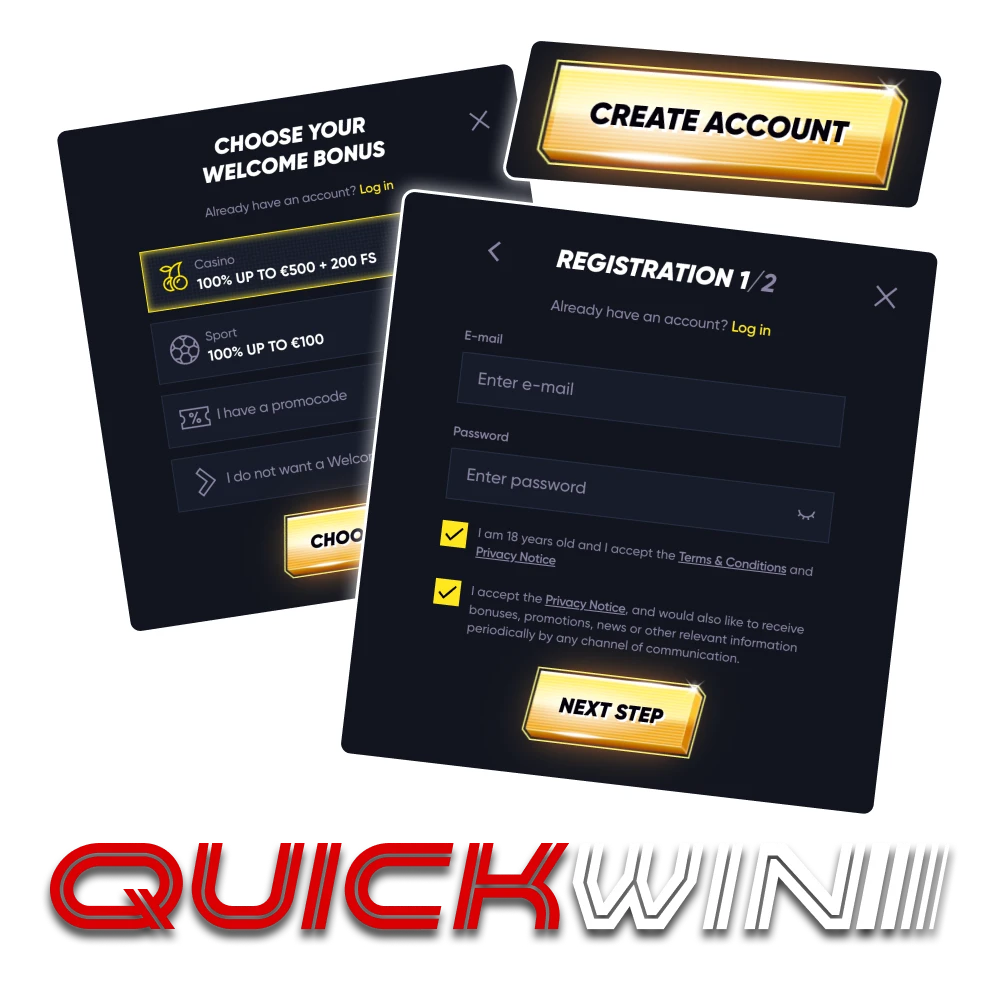
How to Sign Up at Quickwin — Step-by-Step Guide
We made sure that you can complete the Quickwin registration as quickly and easily as possible and will have no problem even if you are completely new to the process. Here is what you will need to do.
Open the Registration Box
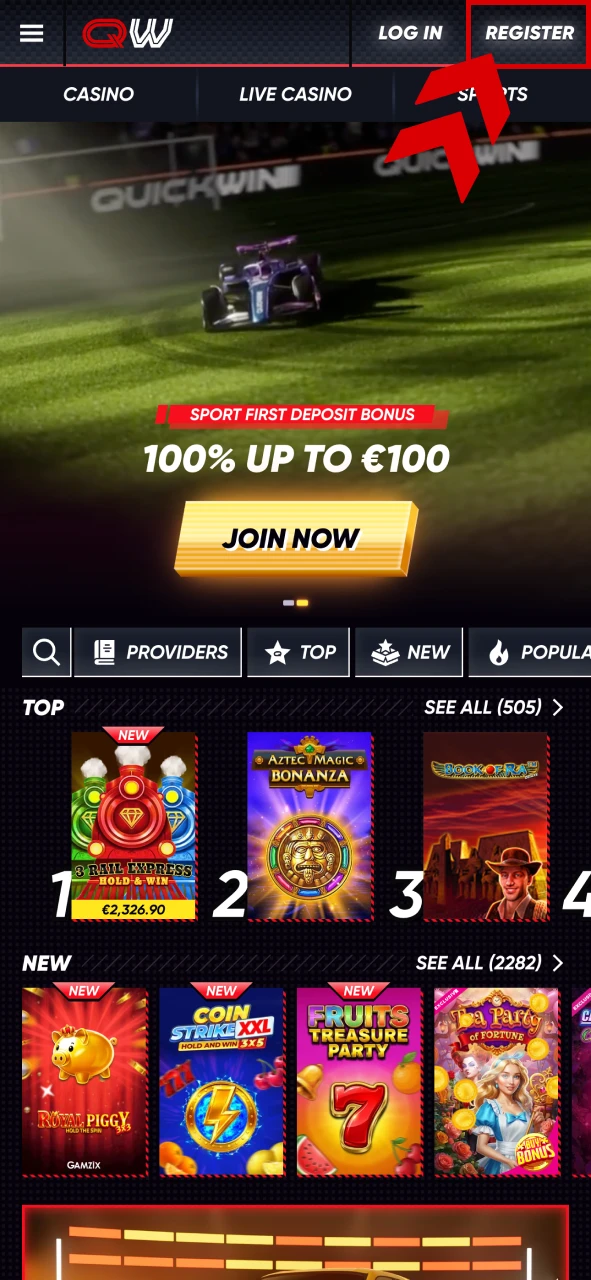
First of all, on the main page of Quickwin, you will need to press the “Register” button, which will open the registration box.

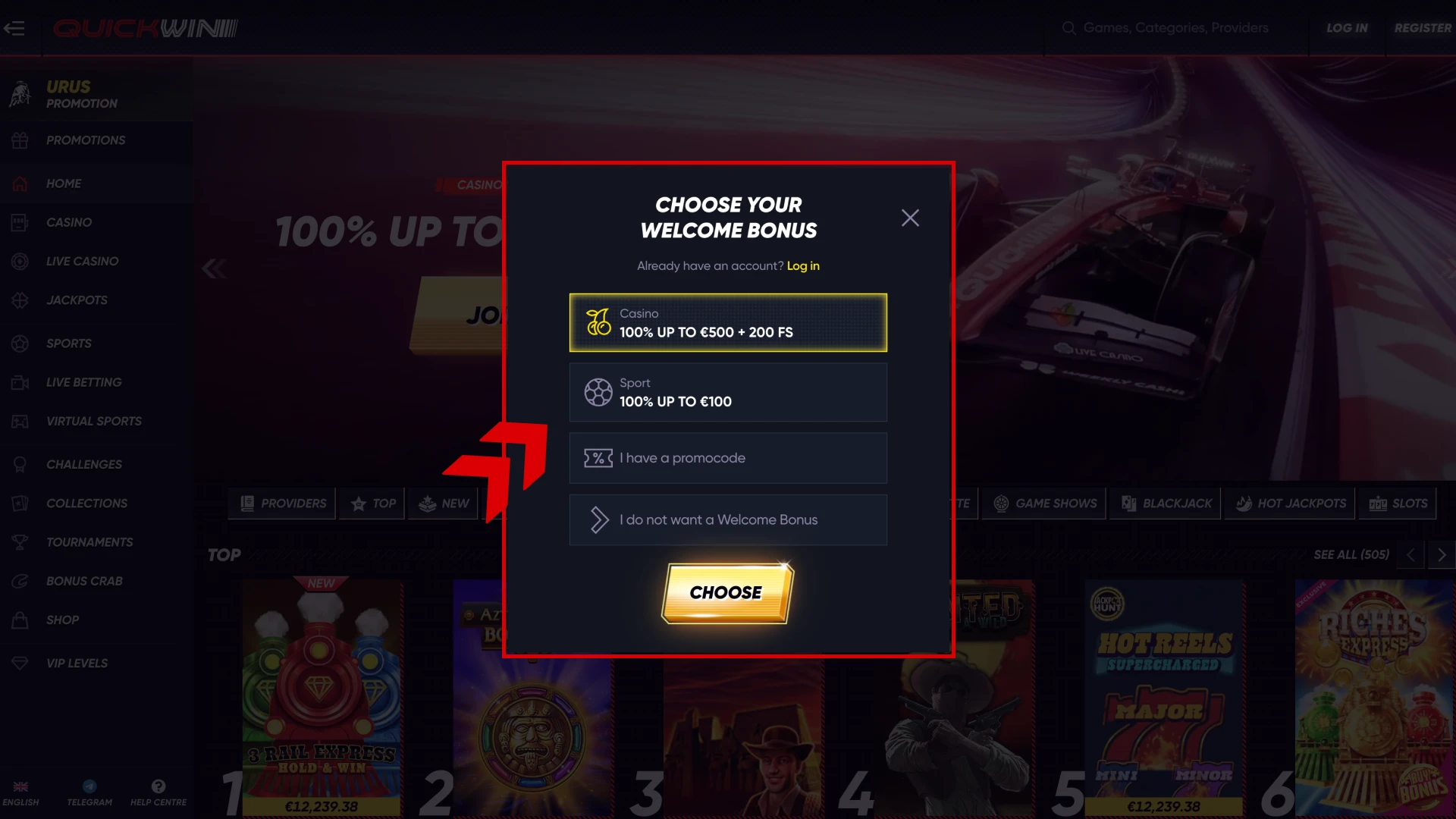
Choose a Welcome Bonus
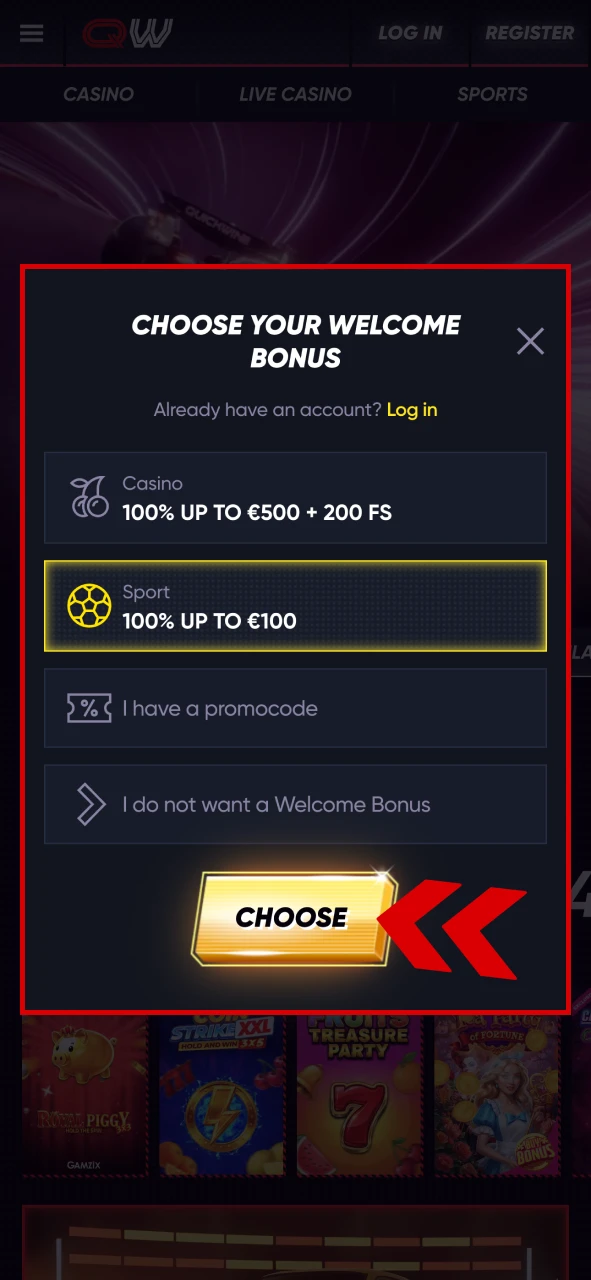
In the beginning, you will be offered to choose a casino welcome bonus of 100% up to 500 EUR + 200 FS, a sports welcome bonus of 100% up to 100 EUR, use a promo code or decline the bonus. Choose the option that you need and proceed.
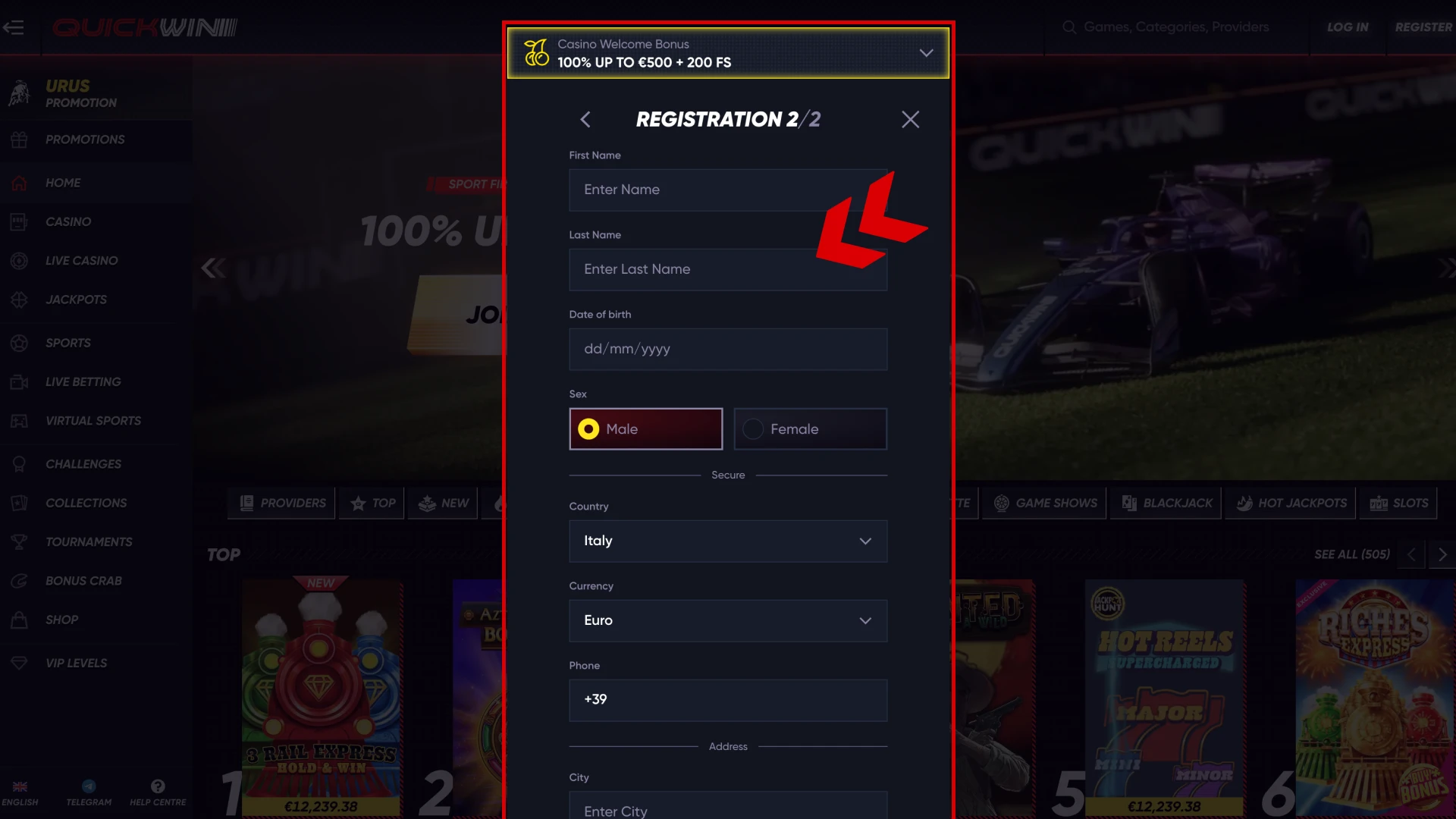
Provide the Needed Information
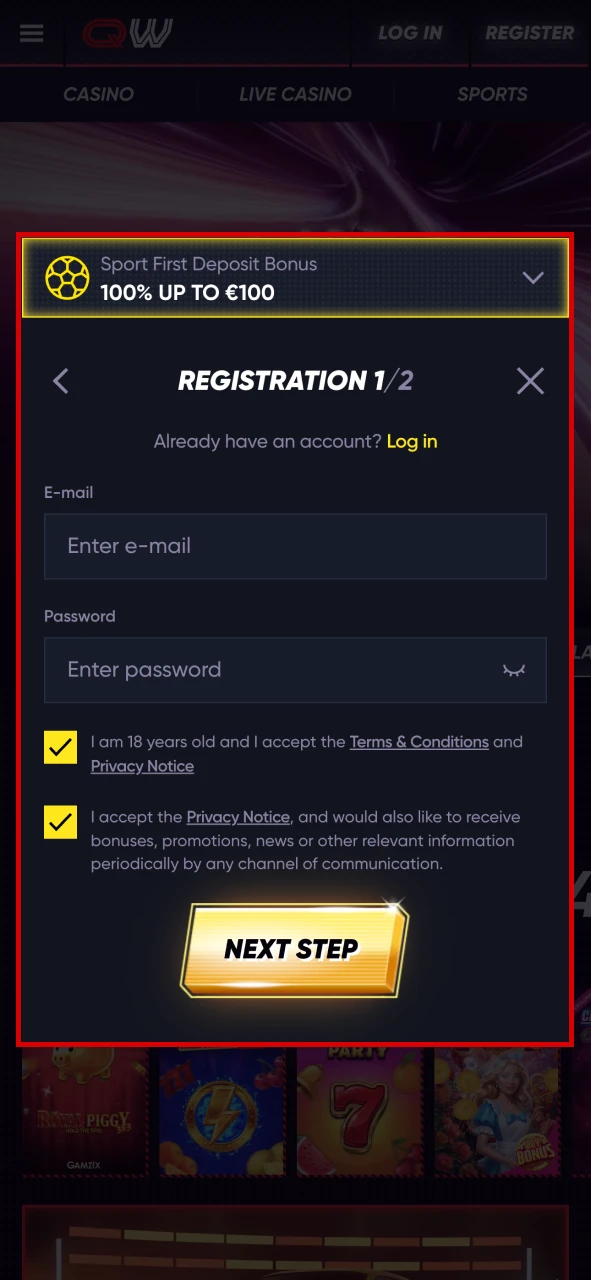
To be able to sign up, you will need to fill in some information like email, password, first and last name, date of birth, gender, country, currency, phone number and address.
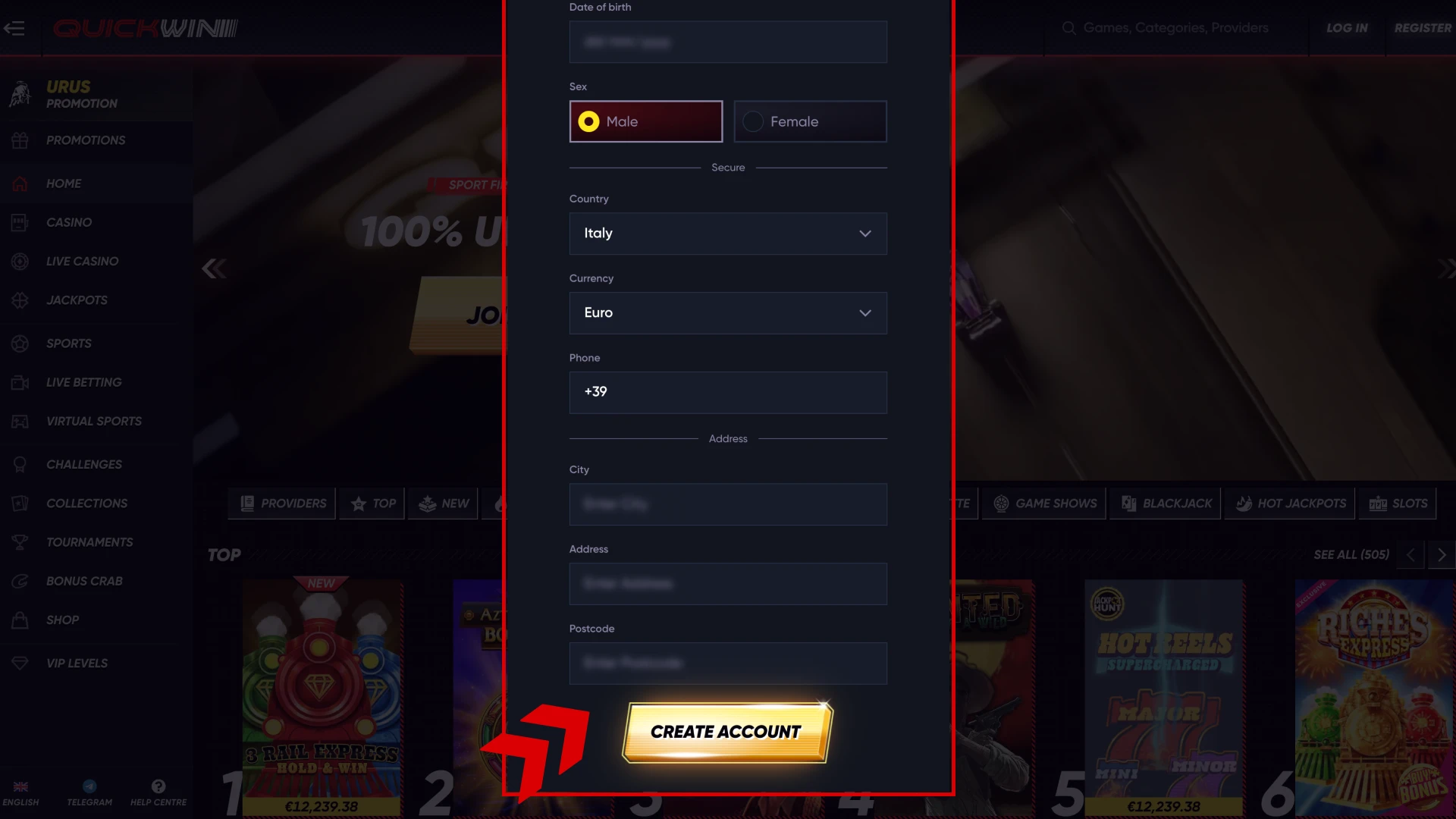
Complete the Registration
All that is left for you to do is to make sure that you have entered the information correctly, and then confirm your Quickwin register form.
Advantages of Having a Quickwin Account
Having an account on Quickwin may not seem like much, however it gives you a great deal of benefits that you will undoubtedly be using to the fullest, like:
- A wide range of bonuses, including a sports or casino welcome bonus;
- Participation in the VIP program automatically;
- Betting on sports in pre-match and live mode;
- Thousands of casino games, including live casino;
- A chance to participate in tournaments for big prizes;
- Make deposits and withdrawals with the most reliable payment methods.

Quickwin Login — Safe and Simple Access
After you sign up an account, you can later use it again by just logging into it. Doing so is straightforward as you will just need to do the following.
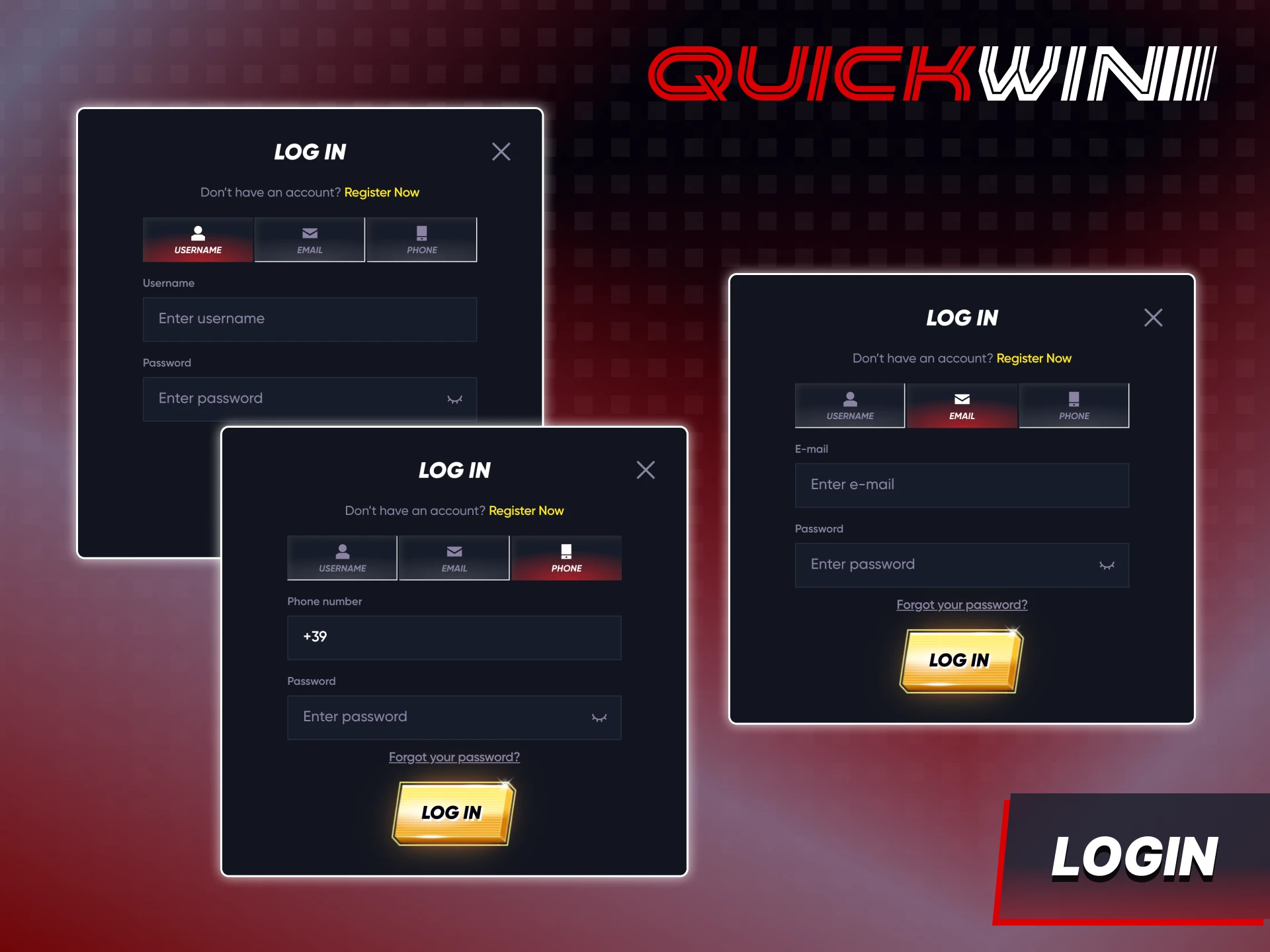
- Open Quickwin and press the “Log In” button.
- Choose the logging in method (username, email, phone number).
- Enter the required information like username, email, phone number and password.
- Press the Log In button to sign in to your account.
In case you ever forget your logging in data, press the “Forgot password” button and the support team will help you restore your account.
How to Create a Quickwin Account via Mobile App
Some players prefer using mobile applications instead of the website, and if you’re among such players, you can easily use our app to create a new Quickwin account. It will be just as easy as signing up on the website and here is what you will need to do.
Open the App
The first step for you is to open the Quickwin app on your Android or iOS device, and then tap on the “Register” button.
Choose the Welcome Bonus
Similar to the website registration, in the app, you will also need to choose the welcome bonus that you would like to get.
Enter the Data
Fill in the required data like first and last name, username, password, country, currency etc. and make sure the information is correct. Then, confirm the sign up and you will instantly get logged in.
Verification & KYC Process on Quickwin
So that you can use the functionality of your account to the fullest, you will also need to complete the verification process. It will allow you to withdraw money, as well as give your account a better layer of protection. Here’s what you will need to do to complete it.
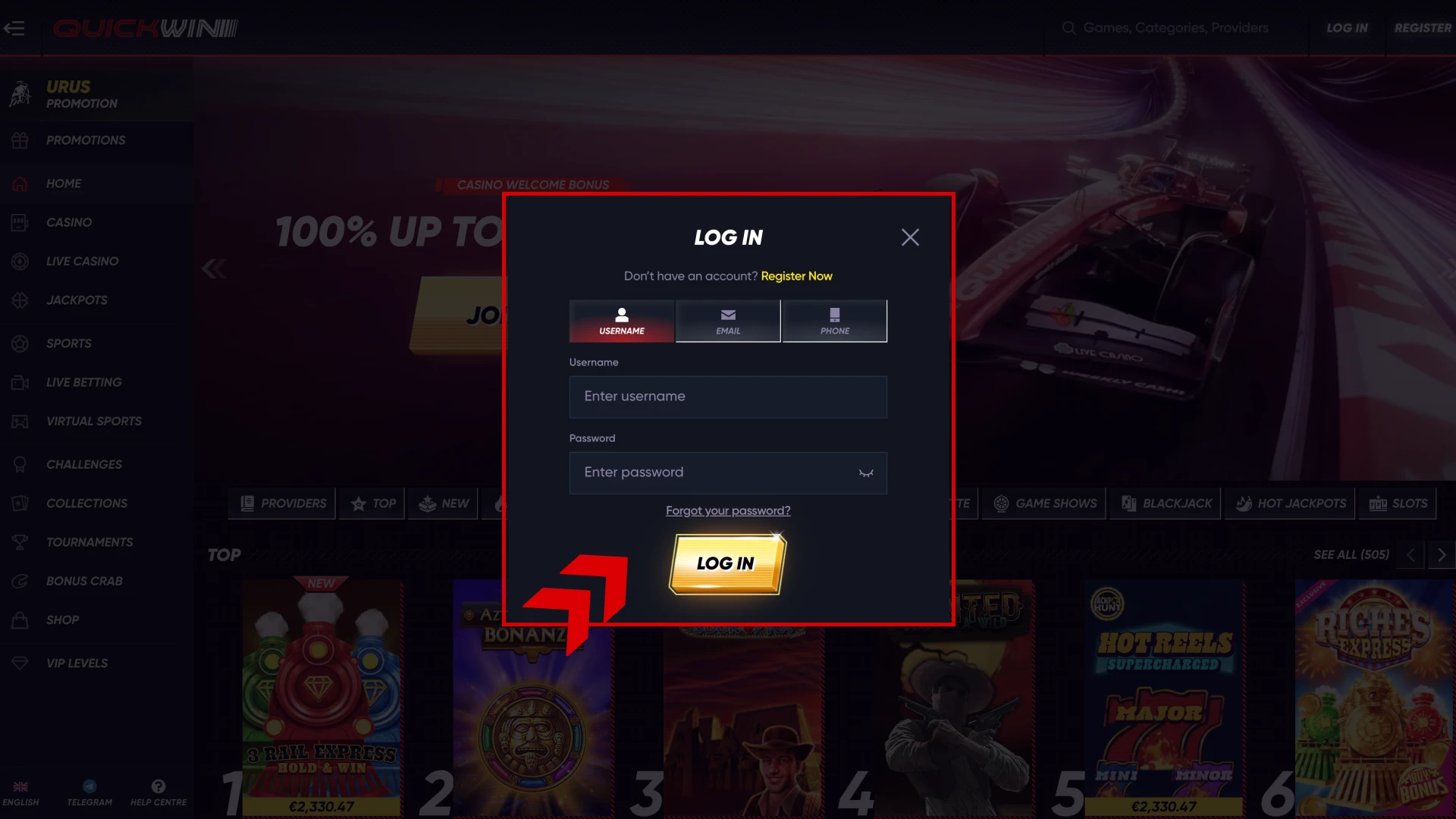
Log into Your Account
After you successfully sign up, press the “Log In” button and enter your username and password to log in.
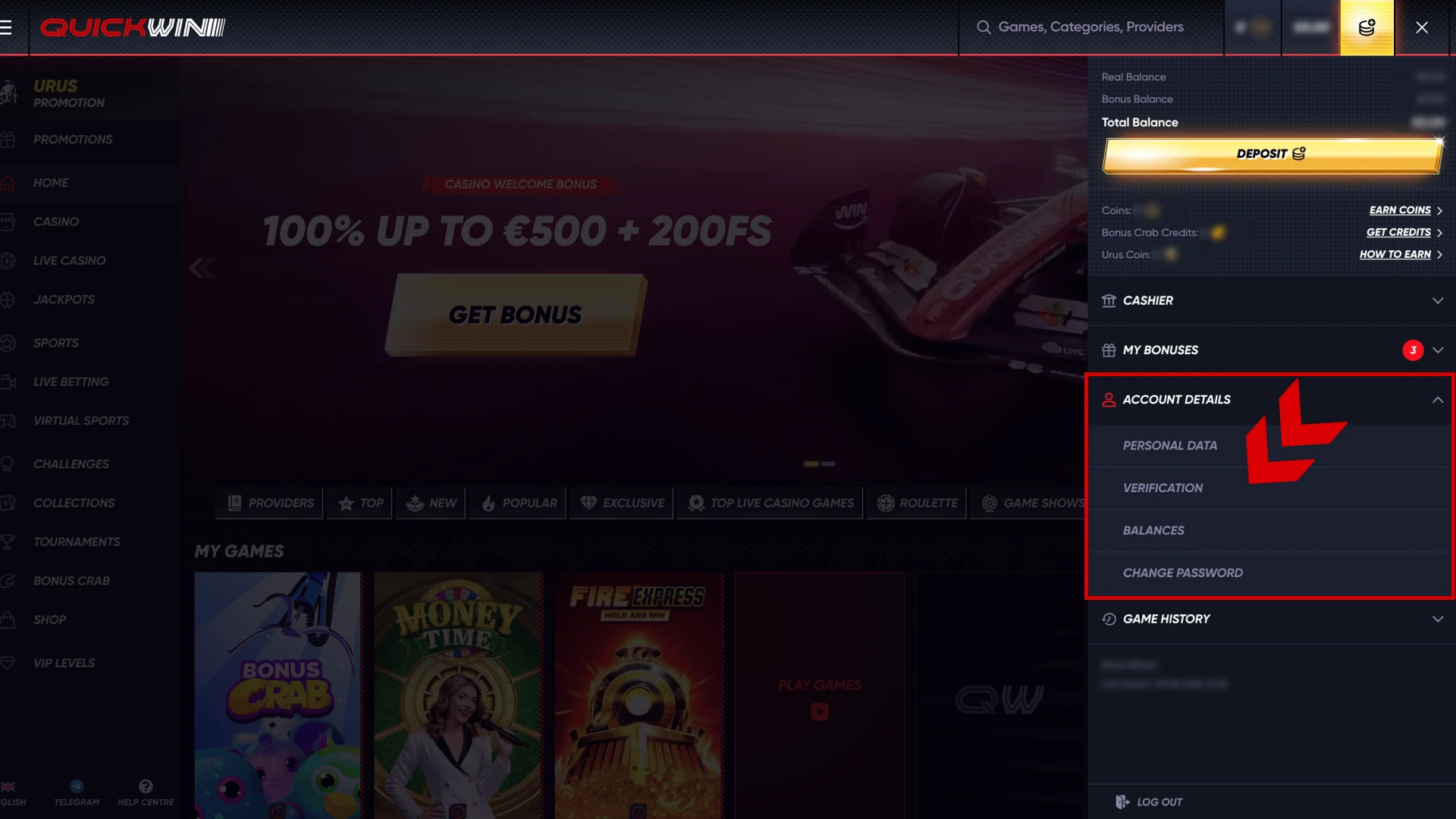
Open Your Personal Cabinet
Next, tap on the Account button, and then select “Account Details”. In the opened menu, choose “Verification”.
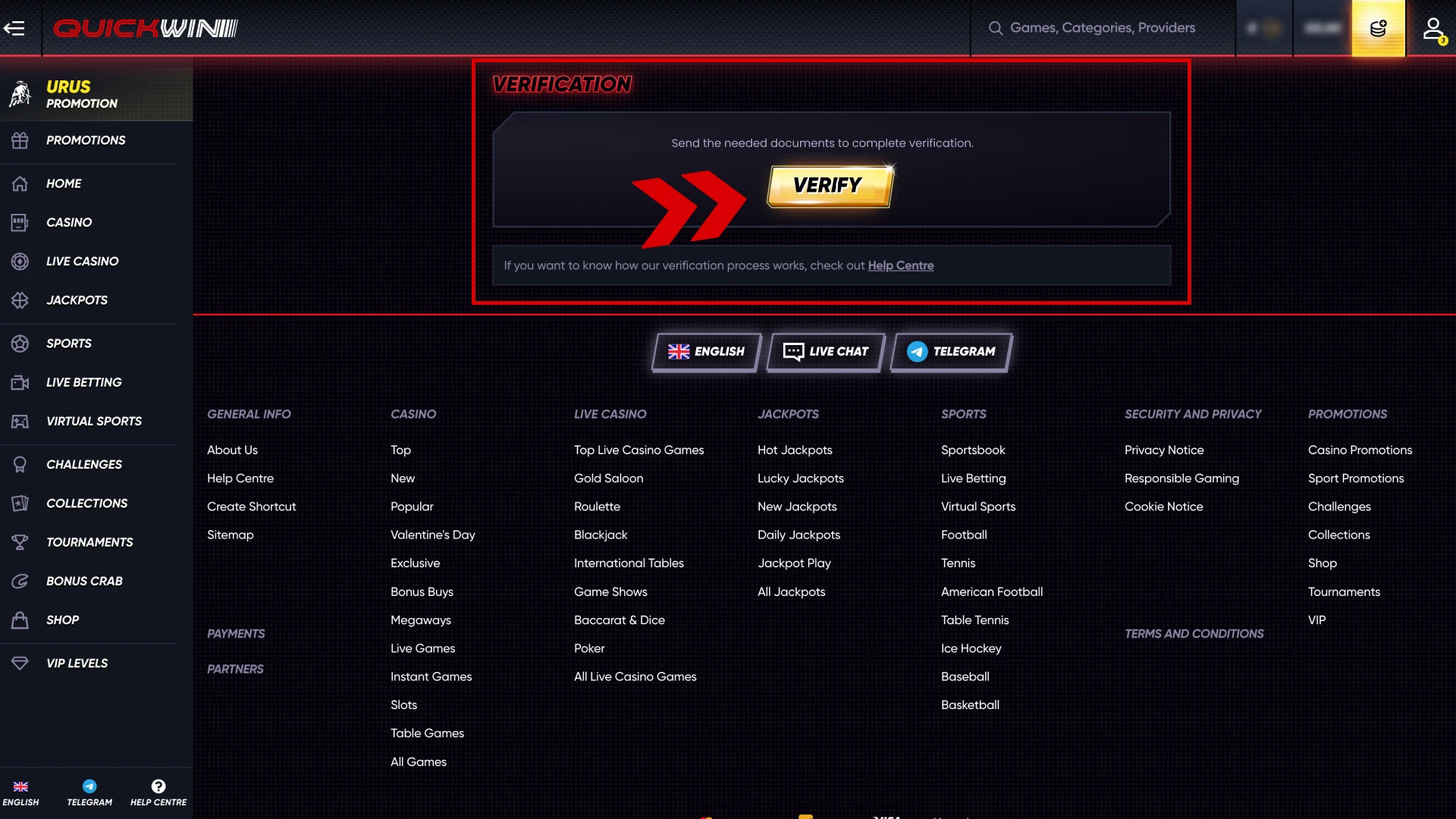
Provide the Needed Documents
To complete the verification, you will need to send documents that show proof of address, your bill statement, as well as your ID or driver’s license. After you submit them, wait for a short time and your account will get verified.
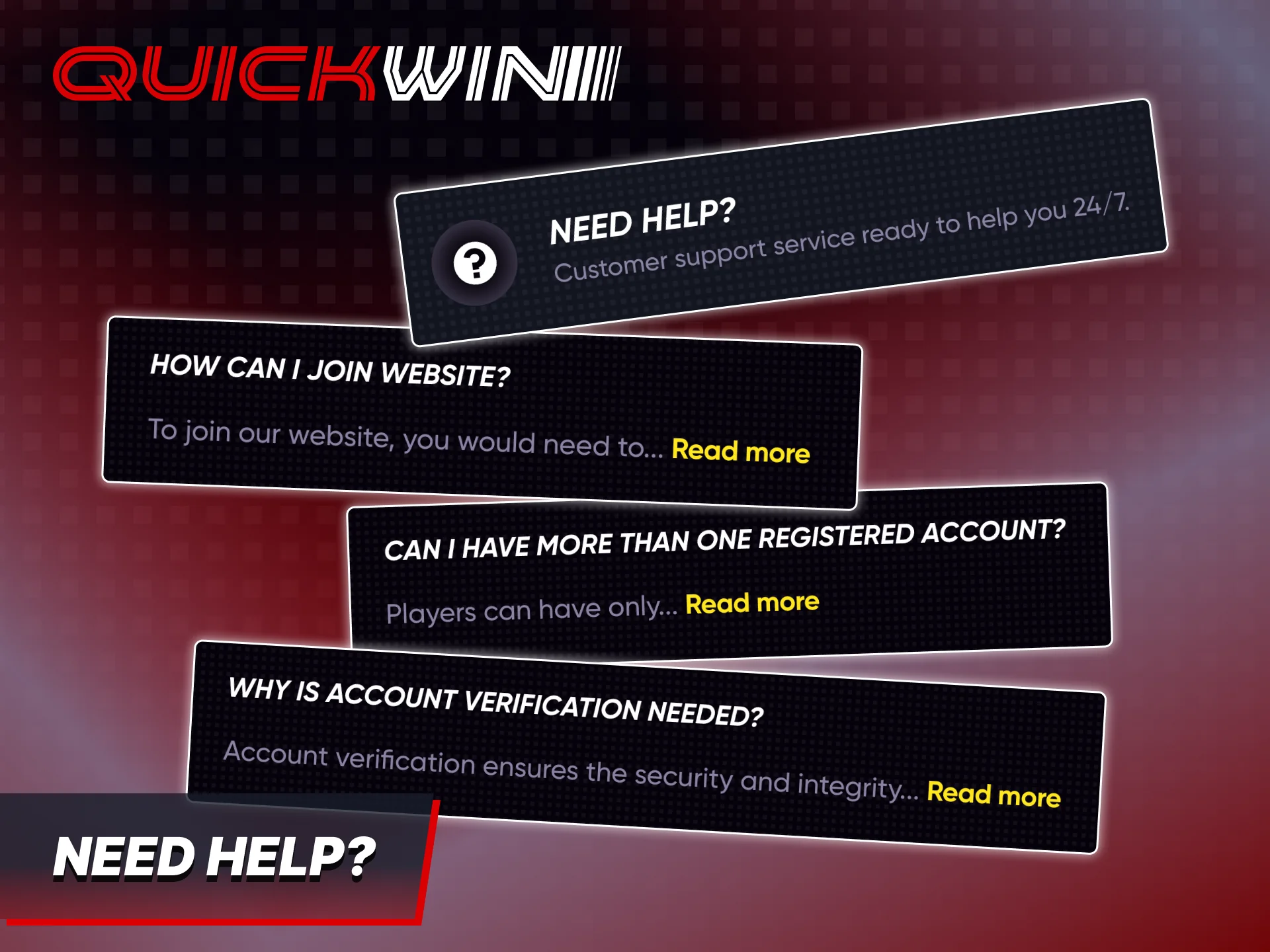
Need Help with Login or Registration?
In case you ever have any problems with signing up or logging into your account, you should not try to fix anything yourself, but rather it’s best to contact the support team. You can contact us via live chat that works 24/7, or use our Telegram bot. In rare cases, some issues with registration can already have answers, so you can also check out our Help Centre to try and find the answer to your problem.
How to Delete Your Quickwin Account
If, at some point, you decide that you do not want to have an account any longer, you can request us to delete it, or do it yourself. This can be easily done, as you will need to do the next steps:
- Log into your account by entering the username and password you chose when signing up.
- Open the live chat or use our Telegram bot, and state that you want to get your account deleted.
- Provide proof that you’re the owner of the account so that we can be sure that third-parties don’t use your account.
After checking the information and making sure that it is correct, your account will be deleted.

FAQ
Is it free to register at Quickwin?
Yes, you can complete the registration process completely for free.
How can I log in to my Quickwin account?
Just tap on the “Log In” button and enter your username and password.
Can I log in from my mobile phone?
Of course, you can use our app for Android and iOS to log into your account.
What should I do if I forgot my password?
Contact our support team and state the issue and we will help you restore your account as quickly as possible.
Can I have more than one account?
No. One player can only have one account. If you create more, all of the accounts will get banned.
Updated:
Comments